You know that feeling when a release goes out, everything looks green, and then Slack lights up with "the app is broken for everyone"?
Except it's not broken for everyone. It's broken for users running last month's version. Or users who upgraded from two versions ago. Or users on a Samsung with aggressive battery optimization. The test devices are fine. CI is fine. Production is on fire. 🔥
After enough post-mortems that started with "we didn't have coverage for that scenario," I've gotten a bit obsessive about building testing processes that actually prevent production incidents, not just validate happy paths.
This isn't about testing new features. It's about protecting the users we already have.
Backwards Compatibility
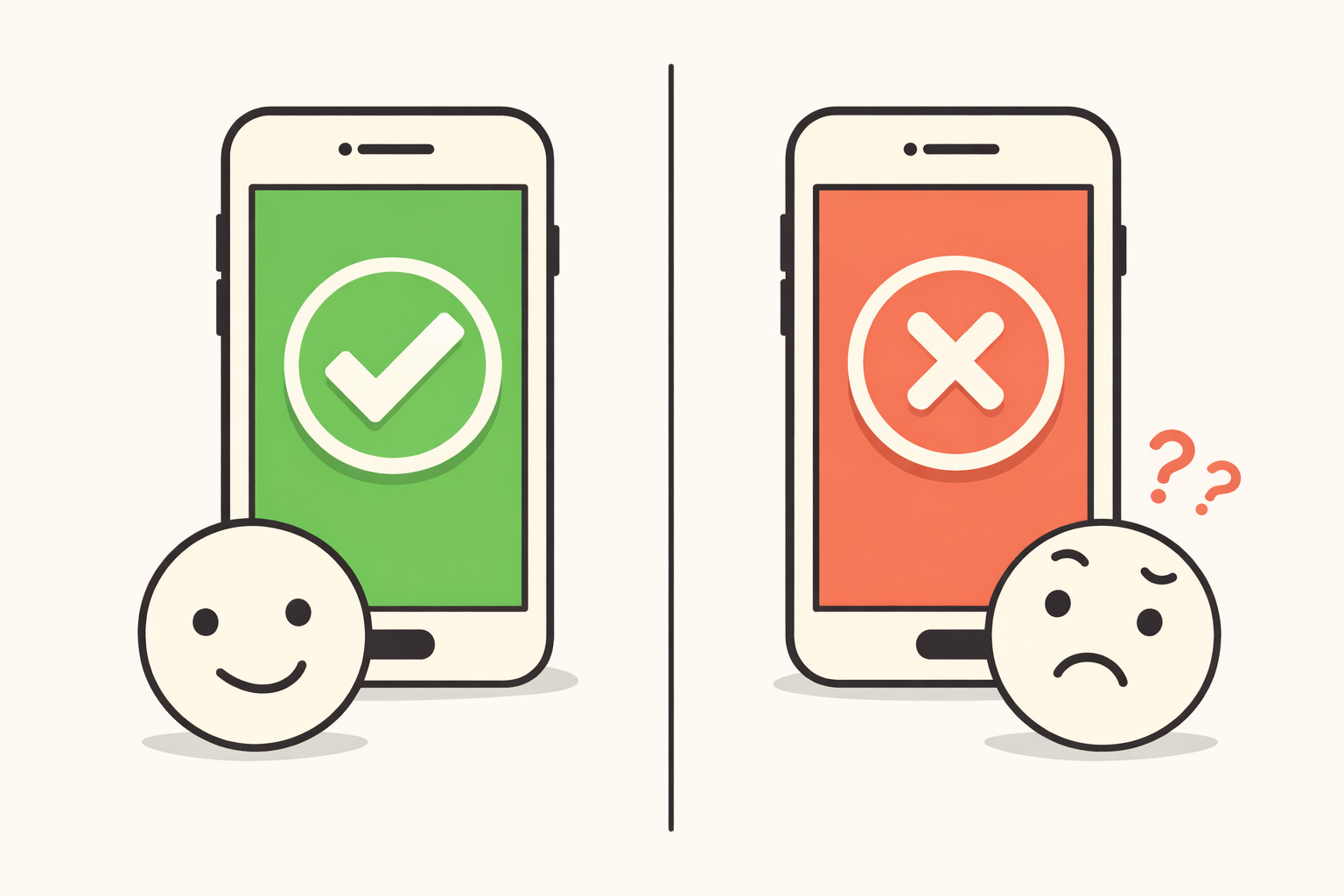
Here's the scenario that keeps me checking Slack after releases: backend team ships a change, mobile doesn't have a release scheduled for two weeks, and suddenly a chunk of users are staring at infinite spinners.
The thing about mobile is you can't force updates. Some users are still on version 3.2 from six months ago, and they're all hitting the latest backend. When that backend changes - a field gets removed, a type changes from string to integer, a new required parameter shows up - older apps don't gracefully degrade. They just... break. Usually silently.
The tricky part? These bugs don't surface in normal testing because we're naturally testing against the latest build. It's not a gap anyone creates intentionally. It's just not the obvious thing to check.
What tends to go wrong:
API changes are the obvious culprit. A removed field the app expects, and suddenly there's a crash hiding behind a loading screen. Feature flags are sneaky too. A flag flips server-side, and older apps try to render UI that doesn't exist yet. Auth changes can silently log people out or trap them in a login loop with no useful error.
What we've built into our process:
We keep old builds accessible through TestFlight history and archived APKs. Before backend changes go out, someone on the team installs an older version and uses the app against the new backend. Not automated tests, actual usage. Login, core flows, looking for anything weird. Spinners that don't stop, buttons that don't respond, screens missing data.
It adds time. It's also caught more near-misses than any other process we've added.
Forced Updates
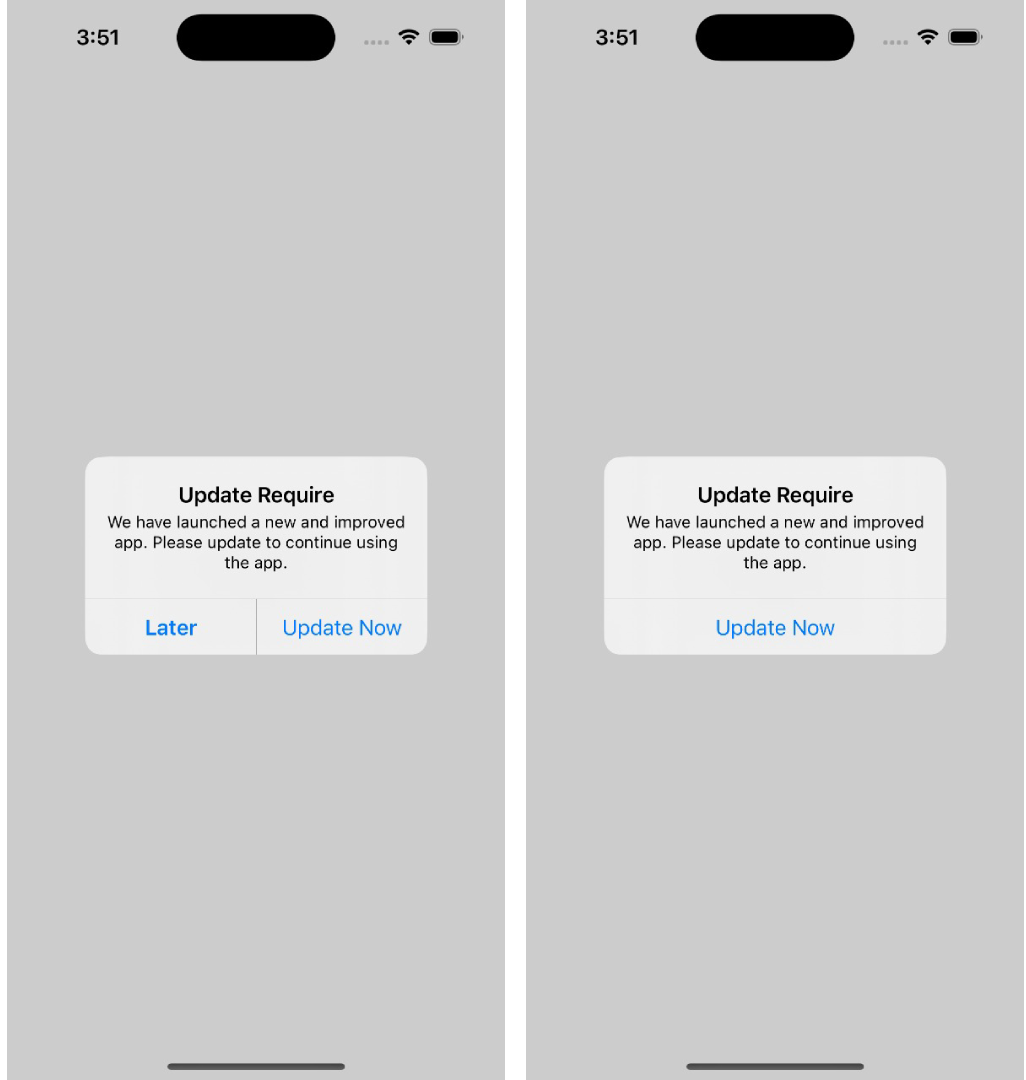
Forced updates are necessary sometimes. Security issues, breaking backend changes, legal requirements. Sometimes you really do need to stop users from continuing until they upgrade.
But forced updates can go wrong in ways that are hard to recover from. Update button that opens the wrong app store page. Users on older phones who can't install the new version, stuck on a screen telling them to update with no way forward. Update loops where the app keeps demanding an update after they've already updated.
When this breaks, you haven't just broken a feature. You've locked people out of your product entirely.
The stuff that breaks:
Store links are weirdly fragile. iOS and Android handle them differently, and it's easy to end up with a button that opens a 404 or the wrong app listing. Then there's users who can't update. Their device doesn't support the minimum OS anymore, or they're out of storage, or the app store is having issues. The forced update screen needs a plan for these people, or they're just stuck.
What we test for:
Install an old version, trigger the force update via backend config, then try to break it. Tap the update button. Does it go to the right place? Go back to the app without updating. Does the block still show, or is there an accidental bypass? Turn on airplane mode and try. Does the app crash or show something reasonable?
The scenario that catches teams off guard: testing on a device that can't actually install the latest version. If your forced update has no escape hatch for these users, you've effectively bricked the app for them.
Upgrade Path Testing
This one still gets me because it's so preventable in hindsight.
The scenario: a release goes out, fresh installs work perfectly, and then crash reports start coming in from users who upgraded. The new code assumes a clean database schema, but existing users have months of cached data in the old format. Fresh installs don't have that data. Existing users do. Crash on launch.
I've seen this with login sessions that become invalid after an upgrade. With preferences stored in a format the new app can't parse. With feature flags from an old experiment that conflict with new logic. The pattern is always the same: the testing focused on fresh installs because that's the natural path.
What goes wrong:
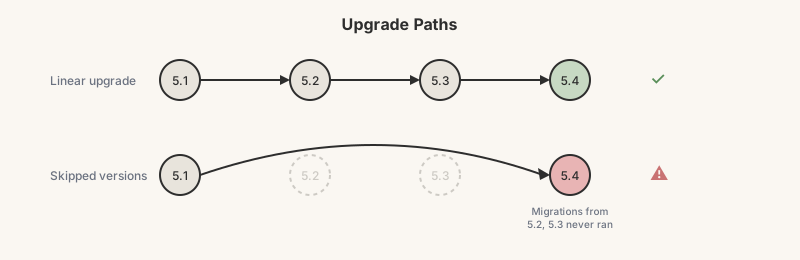
Data migrations are the big one. A change to how something is stored locally, and users upgrading from older versions have data the new code chokes on. Skipped versions make it worse. If someone goes from 5.1 directly to 5.5, they miss whatever migrations ran in 5.2, 5.3, and 5.4. If migration logic assumes people update sequentially (they don't), you get corruption.
What we've added to our process:
It's manual and time-consuming, but it catches things. Before major releases, we install an older version, log in, set preferences, use the app enough to generate local data. Then upgrade over the top, no uninstall. Open the app.
Does it crash? Still logged in? Preferences intact? Core features work?
We do this for the previous version at minimum. For big releases with schema changes, we go back two or three versions. The skipped-version case is especially important when there have been multiple data migrations.
Device and OS Coverage
I used to think device testing was mostly about catching UI rendering issues. Turns out it's about way more than that.
Android manufacturers don't just customize how the OS looks. They change how fundamental things work. Samsung and Xiaomi are notorious for aggressive battery optimization that kills background processes. Notifications that never arrive, background tasks that get terminated, apps that lose state when brought back from the background. None of this shows up on stock Android.
iOS is more consistent since Apple controls the hardware and software, but you still need coverage across a few OS versions. Behavior can differ between iOS 15 and iOS 17 in ways that matter.
What actually goes wrong:
Background execution is the biggest pain point on Android. I've seen notification issues that only happened on Xiaomi devices because of their battery settings. Push notifications work perfectly in testing, then users complain they never get notified because their phone killed the app five minutes after they backgrounded it.
Permissions are also messier than expected. The flow for requesting permissions, behavior when denied, behavior after grant-then-revoke. All of it varies by OS version and, on Android, by manufacturer.
How we handle coverage:
We use LambdaTest for device coverage. It lets us test across a realistic spread without maintaining a massive device lab. Pixels for stock Android behavior, Samsungs for their quirks, plus other OEMs like Xiaomi when we need to chase down device-specific issues. For iOS, we cover newer devices and at least one older supported model.
When a bug surfaces, we document the exact device, manufacturer, and OS version. The question we're trying to answer: is this in our code, or in this specific environment? If it only reproduces on one device config, it's probably environmental. If it reproduces across devices, it's probably our code.
The Uncomfortable Truth
Most of the worst bugs that have made it to production weren't in new features. They were in how new code interacted with old versions, old data, and old devices. The stuff that doesn't show up in a fresh install test pass.
The mental shift that's helped our team: stop asking "does this feature work?" and start asking "does this feature work for the user who installed our app eight months ago, hasn't updated since, and is running on a mid-range Android phone?"
That user exists. There are a lot of them. And they deserve an app that doesn't break just because they didn't do a fresh install this morning.
Have a war story about a production bug that slipped past testing? I'd love to hear it. Sometimes the best test cases come from the worst incidents.